Snacks is a self-hosted media library transcoder that scans, decides, converts
or remuxes, verifies, and keeps moving—across video and music, one machine or a whole cluster.
Automatic media transcoding, built around your library
More than “run FFmpeg on a folder.”
Snacks remembers your library, applies media policy, routes work to the right hardware, and tells you exactly what happened.
Library-first
Built for the backlog — and everything that arrives next.
A persistent SQLite catalog and durable queue handle large libraries without starting over after every restart. Prioritize a file, a folder, recent additions, or the files with the greatest potential savings.
Checkpointed, resumable scans
Automatic change detection
Transfer-safe discovery
Library sweep124,892 files
38 processing81k cataloged0 lost on restart
Video + music
One library, two purpose-built pipelines.
Encode H.264, HEVC, or AV1 into MKV, MP4, or WebM. Convert music to MP3, M4A/AAC, Ogg/Vorbis, Opus, or FLAC while retaining metadata and supported cover art.
AV1HEVCH.264OpusFLACAAC
Track intelligence
Audio and subtitles are first-class.
Order language preferences, preserve originals, add multiple audio outputs, extract sidecars, remove SDH/CC tracks, and OCR bitmap subtitles into searchable SRT.
1 English · original copy2 English · stereo AAC3 Japanese Opus
Hardware-aware cluster
Put every encoder on your network to work.
Snacks discovers NVIDIA, Intel, AMD, Apple, and CPU capabilities, reserves device slots, and sends each job somewhere that can actually encode it. Share storage to skip transfers, or throttle transfer concurrency and bandwidth.
NASmaster · Intel2 / 2
Studioworker · Apple1 / 1
Encode boxworker · NVIDIA3 / 4
Health + observability
Trust, but verify.
Validate output before keeping it, deep-check older files on a rolling budget, inspect per-job and cluster logs, and scrape Prometheus metrics.
Output probe passed
Decode sample passed
Rolling checks active
API + integrations
Automate it your way.
Drive the queue with an API key, pin settings from environment variables, consume SignalR events, connect media services, control with Luna, and surface read-only queue and worker data in Homarr.
$ curl /api/queue/stats{ "pending": 38 }
A clear view of every encode
See the whole system at a glance.
Monitor savings, shape encoding policy, inspect the queue, and manage every node from the same responsive web UI.
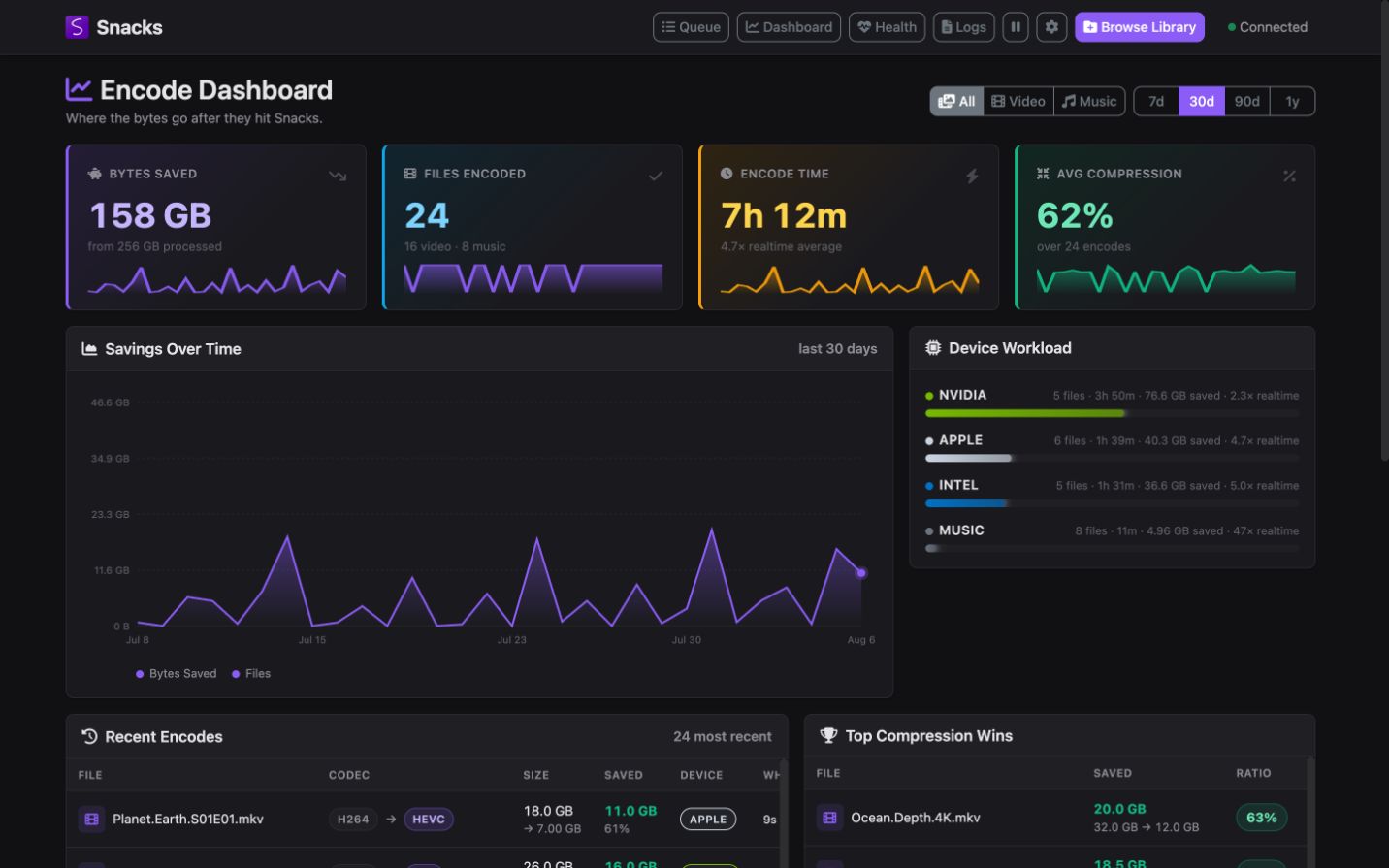
Encode Dashboard
Know what the library gained.Lifetime savings, recent activity, codec mix, device workload, and per-node throughput.
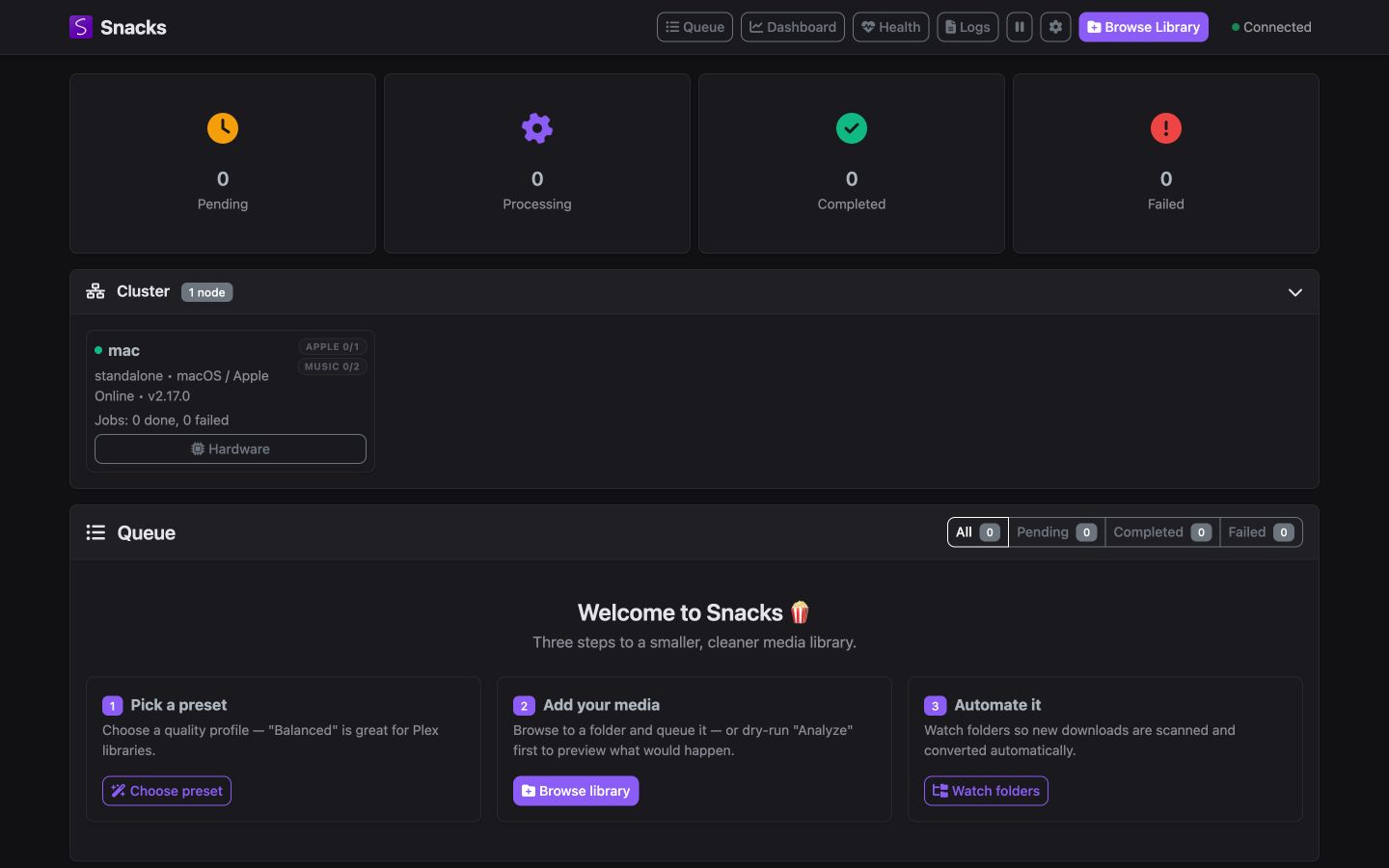
Queue & onboarding
Start safely and stay oriented.Hardware status, queue filters, cluster capacity, and a guided first run live together.
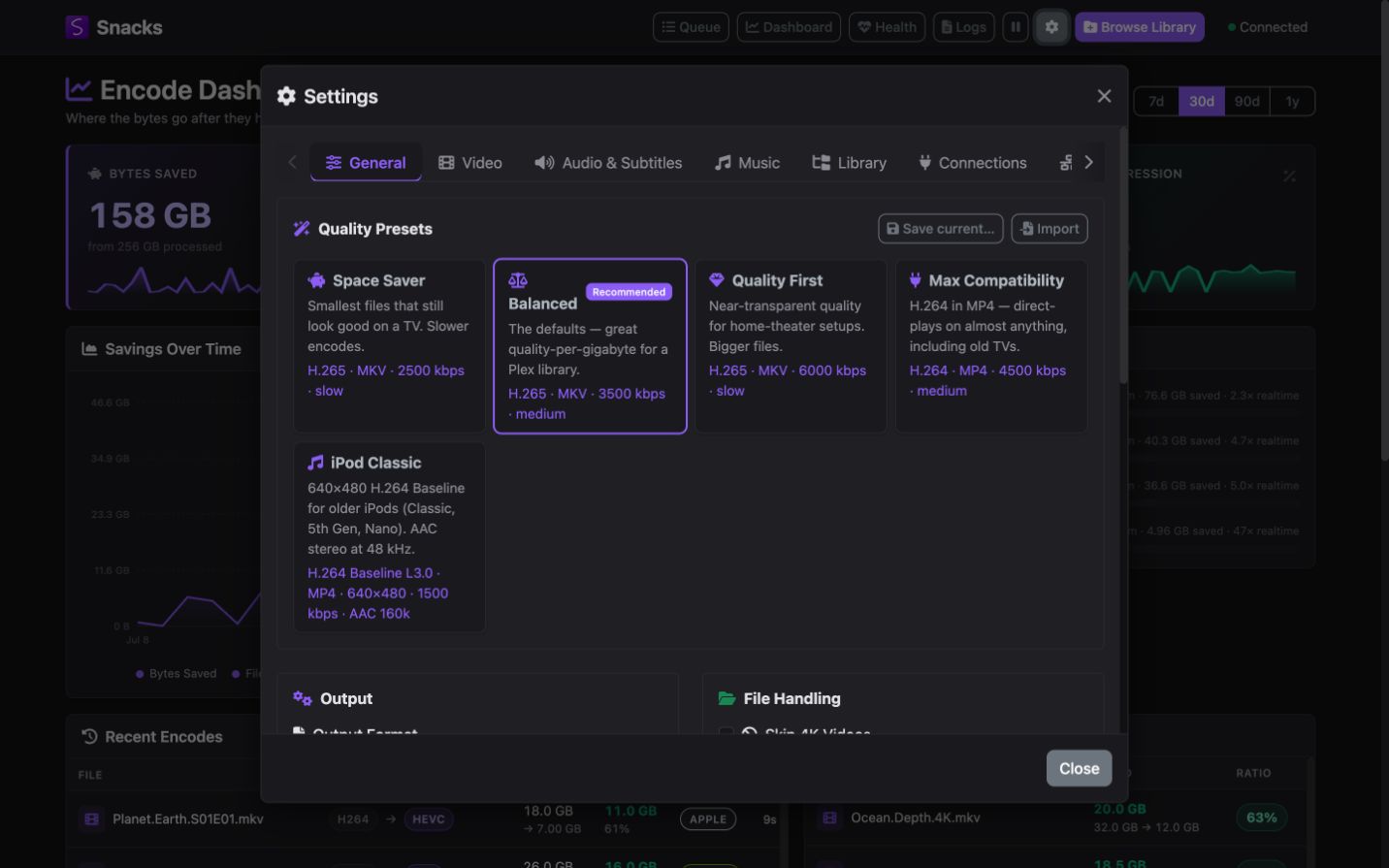
Quality presets
Start from a sensible policy.Built-in profiles cover size, quality, compatibility, and device-specific targets; every setting remains editable.
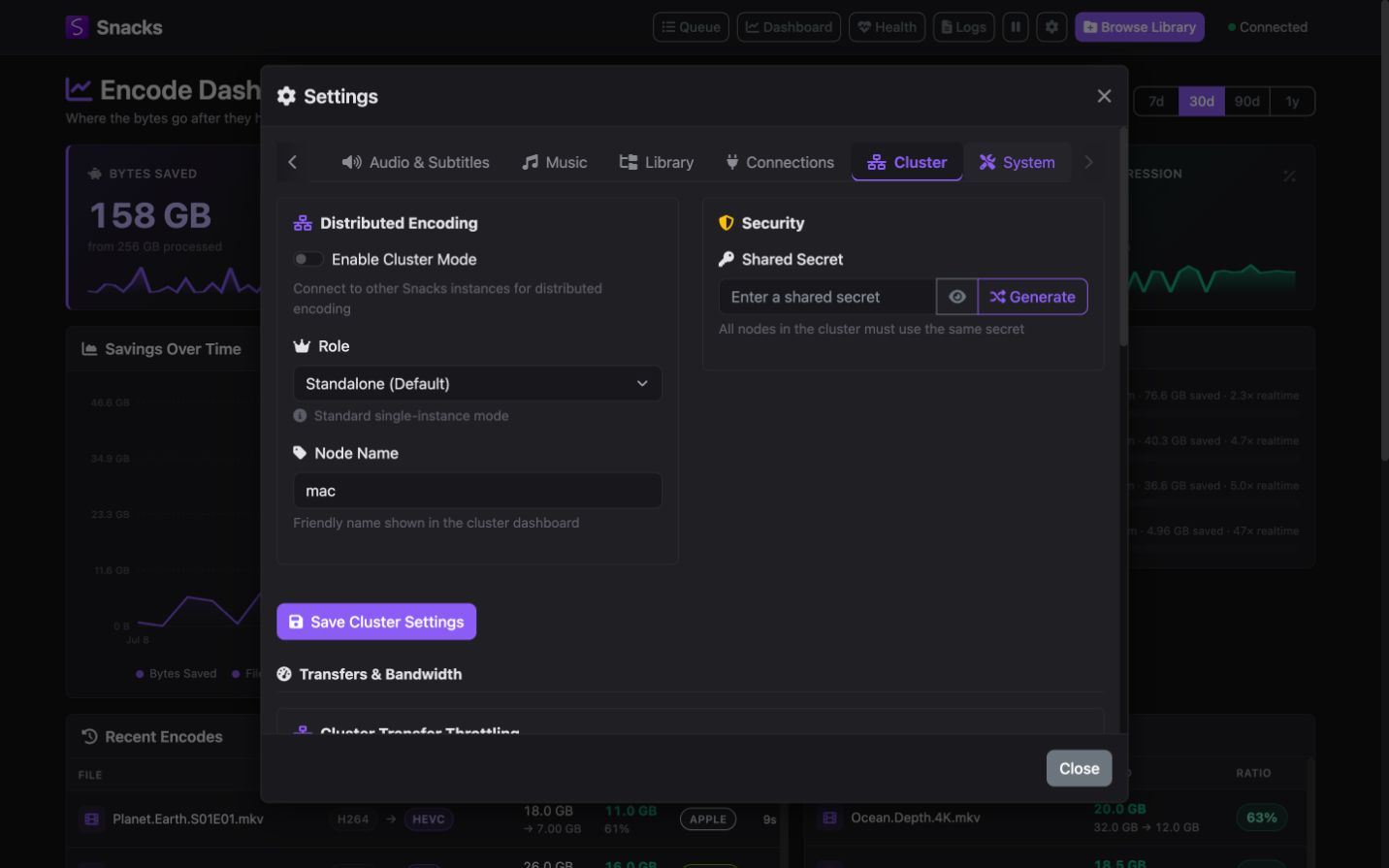
Cluster controls
Scale without losing control.Roles, device slots, node schedules, shared storage, security, and transfer limits are all explicit.
Set the policy. Snacks does the repetition.
From one controlled test to a library that maintains itself.
Start with a preset, validate one representative file, then let watched folders handle new media while the catalog remembers the backlog.
Get the latest containerdocker pull derekshreds/snacks-docker:latest
Documentation that ships with the product
From first encode to production operations.
The complete Snacks guide lives on this site too: setup, Luna, Advanced Video policies, Homarr dashboards, clusters, backups, troubleshooting, every public route, and SignalR events.
Every encode gets its own FFmpeg log. When the selected policy permits it, failed hardware paths can retry through safer fallbacks. Interrupted work survives restarts. Replacing original files stays off until you enable it.
Result-aware
Snacks discards outputs that fail validation or do not satisfy the configured output-retention policy.
Failure-tolerant
Policy-aware retry paths, permitted software fallbacks, cluster reassignment, and persistent state keep sweeps moving.
Observable
Live progress, dashboard history, per-node logs, health endpoints, and Prometheus metrics reveal what is happening.
Before you install
What to know before the first scan.
Start with a copy of one representative file. The guide walks through what to inspect before scaling up.
Is Snacks only for video?
No. Video and music use separate pipelines and independent slots, while sharing scanning, queueing, cluster dispatch, analytics, and automation.
Does it delete or replace my originals?
Not by default. Original replacement is an explicit setting. Snacks can write beside the source or to a separate output directory while you validate your policy.
Do I need a GPU?
No. Software encoding is supported. Automatic fallbacks may use it when the selected policy permits; an exact Advanced Video encoder is never substituted and waits for a matching device. A supported GPU makes large sweeps much faster.
Can it work with Plex, Jellyfin, Homarr, or Luna?
Yes. Snacks can trigger Plex and Jellyfin rescans, provide read-only Homarr dashboards, and connect outbound to Luna for privacy-filtered Sonarr/Radarr recommendations and explicit additions. It also supports TMDb, TheTVDB, webhooks, Discord, ntfy, and Apprise.
Can I automate it without the web UI?
Yes. Use API-key authentication for the JSON API, environment variables for headless settings, the OpenAPI contract for tooling, and SignalR for live events.
Snacks v2.20.0
Start with one file. Scale when you are ready.
Download Snacks, choose a preset, and confirm the result before you automate the rest of your library.